I. Examination Candidates
Self-funded undergraduate freshmen pre-admitted to the University of International Business and Economics for the 2025/2026 academic year.
II. Examination Subjects
The subjects include Professional Chinese, Mathematics, and English.
All students enrolling in Chinese-taught programs must take tests in Professional Chinese, Mathematics, and English.
All students enrolling in English-taught programs must take tests in Mathematics and English.
Examination Subjects for Candidates
Teaching Language |
Academic Discipline Categories |
Examination Subjects |
Professional Chinese |
Mathematics, English |
Chinese |
Arts/Humanities Majors |
Compulsory Subjects |
Compulsory Subjects |
Economics, Trade & Management Majors |
Compulsory Subjects |
Compulsory Subjects |
English |
Economics, Trade & Management Majors |
|
Compulsory Subjects |
III. Examination Arrangements
1. Test Format and Location: For overseas students, the examination will be conducted online (remote proctoring) in two batches (June 7 and June 8). Students may choose their preferred test date based on personal availability.
2. Test Schedule:
Batch 1: June 7 (Saturday)
16:00–18:00 (Beijing Time): Professional Chinese
19:00–20:30 (Beijing Time): Comprehensive Subjects (Mathematics & English)
Batch 2: June 8 (Sunday)
08:30–10:30 (Beijing Time): Professional Chinese
11:00–12:30 (Beijing Time): Comprehensive Subjects (Mathematics & English)
3. Examination Requirements:
1. Candidates must prepare at least one computer with a stable internet connection and a functional camera for online proctoring.
2. The Professional Chinese test includes a listening section—candidates must use headphones and prepare backup solutions to ensure smooth testing.
4. Late Applicants (Self-funded):
Students who apply after the centralized exam dates will be scheduled for a separate examination arranged by the university.
IV. Examination Platform (Student Guide)
1. Pre-Exam Preparation
(1) Use a laptop or desktop computer (mobile phones or tablets are not recommended).
(2) Ensure your web browser is up to date (Chrome or Firefox is recommended).
(3) Maintain a stable internet connection.
(4) Obtain the exam key/password from the email sent by your instructor.
(5) Choose a quiet and comfortable environment for the test.
(6) Close all other programs, windows, and browser tabs before starting.
(7) Keep your passport ready (in case identity verification is required).
2. Starting the Exam
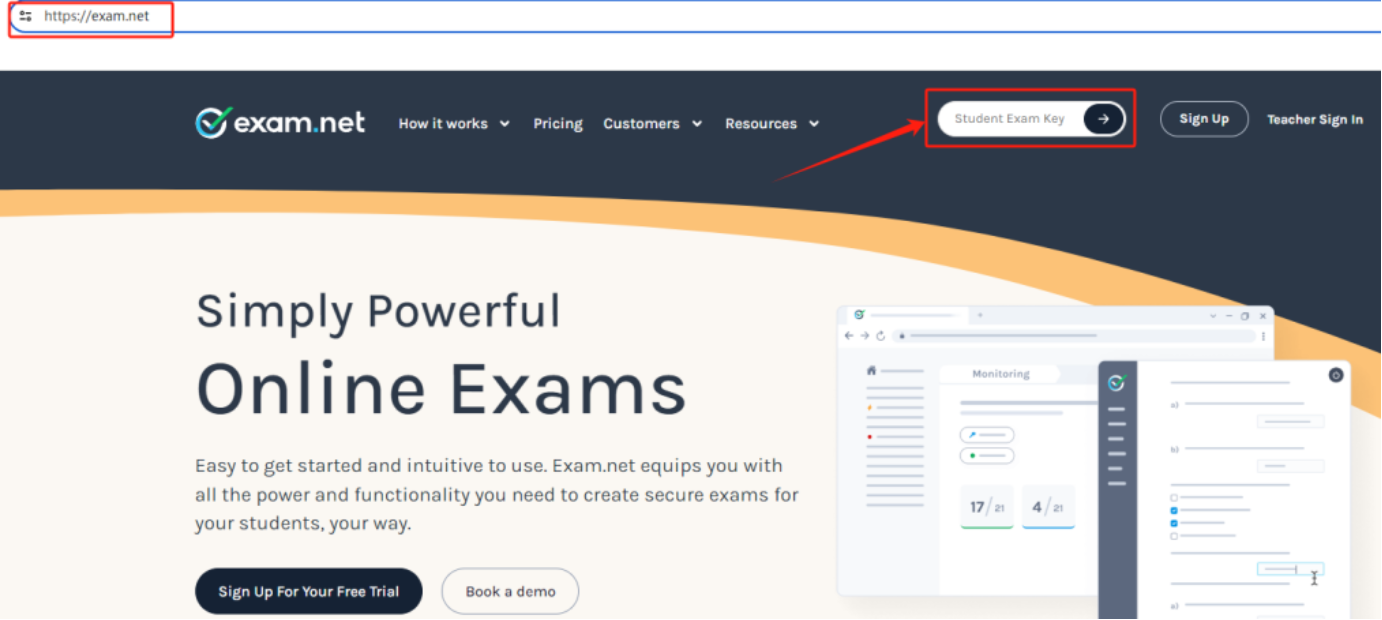
(1) Access the exam platform: https://exam.net.
(2) Enter the exam key provided by your instructor via email.
(3) Click "Start Exam" to begin.
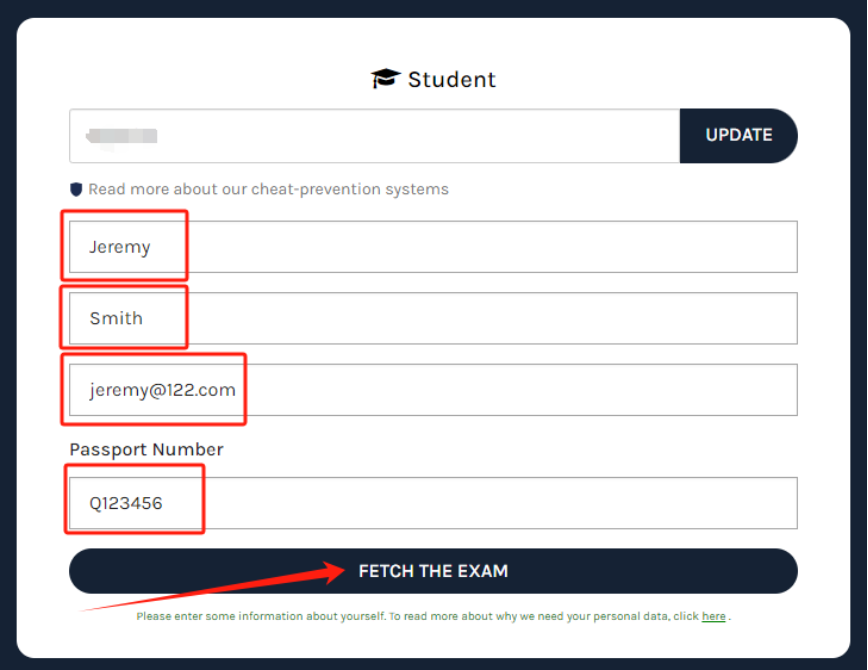
(4) Fill in your name, email address, passport number, and other required information.
(5) Click "Continue" to proceed to the exam.
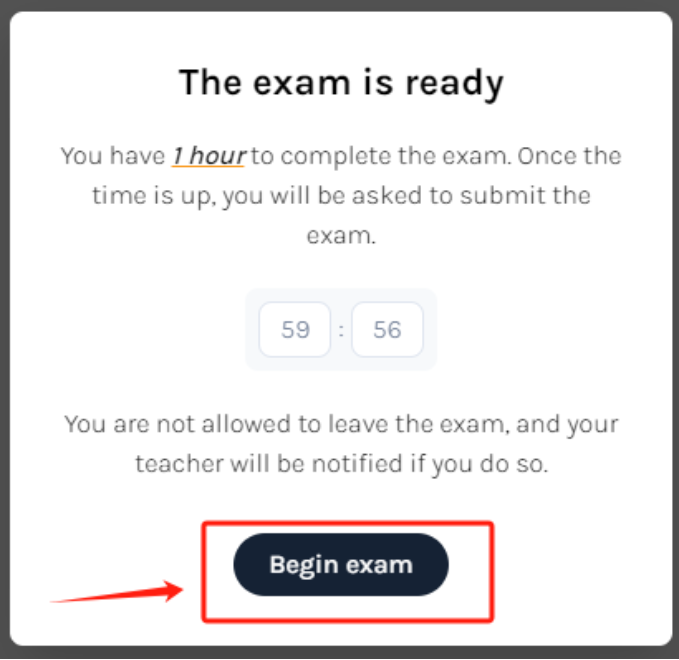
(6) Complete the security check as required by the exam (e.g., screen sharing, enabling camera, etc.).
3. During the Exam
(1) Carefully read all exam instructions and requirements.
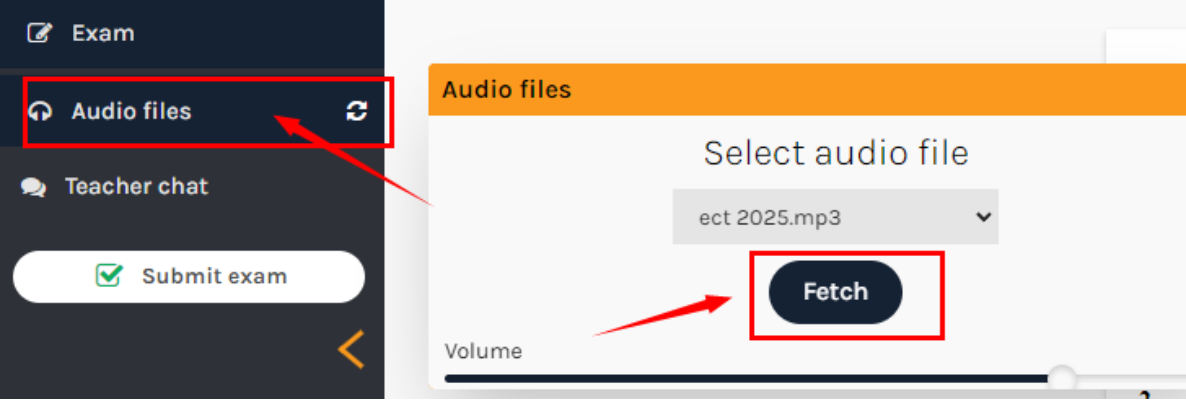
(2) Notice for Chinese Test Takers: The Chinese exam begins with a listening section. To play the audio: Click "Audio Files" → "Fetch"
(For students testing within China: We recommend connecting to VPN in advance to ensure smooth audio playback.)
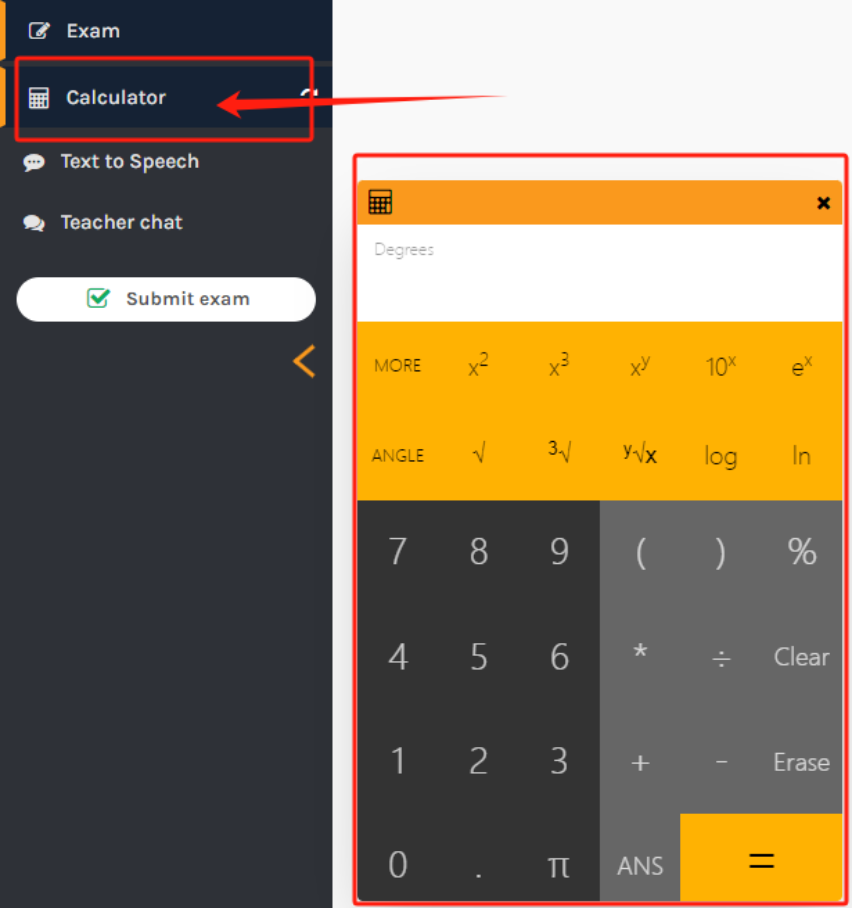
(3) Candidates may use platform-provided tools, such as the calculator.
(3) The system will automatically save your answers every few seconds.
(4) If assistance is needed, use the "Raise Hand" or chat function to contact the proctor.
4. Completing the Exam
(1) Carefully review your answers before submission
(2) Click the "Submit Exam" button
(3) Wait for the system confirmation message before closing your browser
Important Notes:
• Do not refresh the page or close the browser during the exam - this will terminate your session
• Do not switch tabs or open other applications - this may lock you out of the exam
• Unauthorized materials or devices are strictly prohibited
Technical Support:
If you encounter any of the following issues:
Internet disconnection
Accidentally closed exam window
Computer malfunction
Immediately contact the proctor at:
Email: degreeinchinese@163.com
Phone: 6449-2327

